Imagine hosting an event where every message is crystal clear, captivating every attendee. LED display screens can make this vision a reality. These screens enhance visual impact, ensuring your event stands out. Renting an LED screen offers flexibility and cost-effectiveness over purchasing. In this post, you'll learn the essential steps to set up a rental LED display screen for a successful event.
Choosing the Right LED Display Screen for Your Event
When selecting an LED display screen for your event, understanding the difference between indoor and outdoor screens is crucial. Indoor LED screens suit controlled environments like conference rooms or theaters. They offer higher resolution and finer pixel pitch since viewers are closer. These screens display sharp, vivid images without needing extreme brightness.
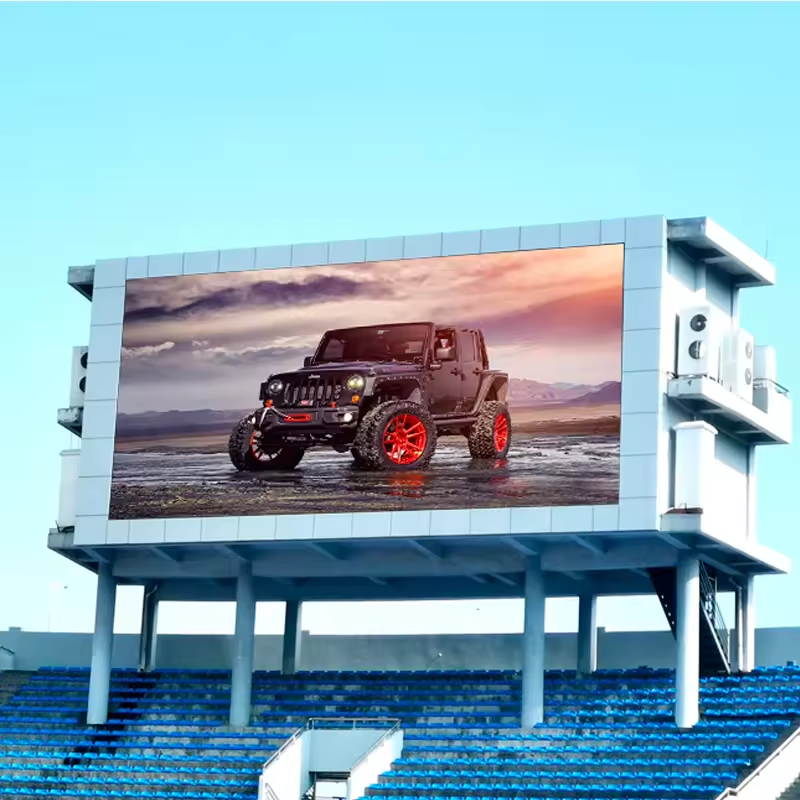
Outdoor LED screens face harsher conditions. They must be brighter—often 4,000 nits or more—to overcome sunlight glare. Weather resistance is essential, so these screens come with robust casings protecting against rain, dust, and wind. Pixel pitch is usually larger because viewers watch from a distance, making ultra-fine resolution less critical.
Several factors influence your choice:
Size: Match the screen size to your venue and audience. Larger spaces or bigger crowds require bigger screens for clear visibility.
Resolution: Higher resolution means clearer images, especially important for close-up viewing or detailed content. Indoor events benefit from higher resolution screens.
Brightness: Outdoor screens need high brightness to remain visible under sunlight. Indoor screens can operate at lower brightness levels, saving energy.
Viewing Distance: Consider how far your audience will be. Smaller pixel pitch suits close viewing, while larger pitch works for distant viewers.
For example, a corporate seminar in a small hall may use a 10-foot indoor LED screen with a pixel pitch of 2.5mm, providing crisp images up close. Meanwhile, a music festival outdoors might require a 20-foot screen with 6mm pixel pitch and 5,000 nits brightness to ensure visibility under daylight.
Also, think about the content type. High-definition videos or detailed graphics demand higher resolution screens. Text-heavy presentations require good contrast and brightness for readability.
Choosing the right screen ensures your message reaches the audience effectively. It also prevents overspending on unnecessary features or sizes. Rental options often provide flexibility, letting you pick the perfect screen for each unique event.
XINTAI LED offers a range of customizable rental LED screens tailored for both indoor and outdoor use. Their products include high-brightness panels for outdoor events and fine-pitch modules for indoor settings. This versatility helps event planners select screens fitting their specific needs without hassle.
By considering these factors—screen type, size, resolution, brightness, viewing distance—you set the stage for a successful event that captivates and engages your audience.
Pre-Installation Planning
Before setting up a rental LED display screen, careful planning is essential to ensure everything runs smoothly. Start by assessing the venue type. Is the event indoors or outdoors? Indoor venues usually offer controlled lighting and stable conditions, so screens with finer pixel pitch and moderate brightness work well. Outdoor venues require screens built to resist weather elements and provide high brightness levels to overcome sunlight glare.
Next, think about the event needs. What will the screen show? Live video feeds, presentations, or decorative visuals? Knowing this helps determine the screen’s resolution and size. For example, detailed graphics or close-up shots demand higher resolution screens.
Screen size depends on venue dimensions and audience size. A small conference room might need a 10-foot screen, while a large outdoor festival could require multiple 20-foot screens placed strategically. Also, consider the viewing distance. The farther the audience, the larger the pixel pitch can be without compromising image clarity.
Power source availability is another key factor. Indoor venues often have easy access to outlets, but outdoor sites may need generators or special arrangements. Confirm the venue can supply enough power for the entire LED setup, including any backup systems.
Audience size influences how many screens you’ll need and their placement. For large crowds, multiple screens distributed around the venue ensure everyone sees the content clearly. Smaller groups may only require a single screen.
Finally, coordinate early with the rental provider to discuss venue specifics and event goals. They can advise on the best screen types and sizes for your needs. This collaboration helps avoid last-minute surprises and guarantees the rental LED display performs perfectly on event day.
By thoroughly assessing venue type, event needs, screen size, power availability, and audience scale, you lay a strong foundation for a successful LED screen setup. This preparation saves time, reduces stress, and maximizes the impact of your event visuals.
Setting Up the LED Display Screen
Setting up a rental LED display screen involves several key steps to ensure a flawless presentation. First, gather all necessary components. These include LED panels that form the screen, rigging equipment such as frames or trusses for mounting, and control systems to manage the display content. Don't forget power and data cables, essential for connecting the panels and control units. Having tools like screwdrivers and Allen wrenches ready helps speed assembly.
Next, prepare the site carefully. Measure the installation area to confirm the screen fits perfectly. Check the ground or mounting structure for stability, ensuring it can safely support the screen's weight. Also, plan power and data cable routes, considering distances to the control room. Having extra extension cables on hand can be a lifesaver.
When assembling the LED panels, start by unpacking and inspecting each one for damage. If the screen mounts on the ground, begin with the bottom row; for hanging setups, start from the top. Align the first panel precisely, then attach others using fast-lock systems that securely interconnect panels. For stacked displays, connect panels vertically; for hanging, mount on the rigging system and secure firmly.
Rigging the display requires attention to safety and balance. Hanging screens attach to stable structures like ceiling trusses, often using motorized winches or manual hoists to lift gently. Ground-supported screens use adjustable legs or stands to keep panels stable and balanced.
Power and data connections come next. Connect power cables between panels, ensuring stable power flow and avoiding overloads. Use Ethernet or data cables to link panels to each other and the control system, following correct signal input and output order. For larger setups, signal boosters may be necessary to maintain data integrity.
Then, connect the screen to the control system. This involves hooking up a video processor that handles input sources and manages video scaling and content distribution. Install compatible control software on a computer to manage media playback, ensuring smooth operation during the event.
Testing and calibration are crucial before the event. Power up the screen and verify all panels receive power and data. Adjust brightness, contrast, and color balance for uniform display. Check for pixel alignment and fix any gaps or dead pixels. Run test content to confirm smooth playback without glitches.
Finally, secure the screen by locking panels in place and inspecting rigging for safety. Manage cables neatly to prevent tripping hazards or interference. Fine-tune the screen’s position and consider backup power solutions to avoid interruptions.
This process ensures the rental LED display screen is set up professionally, delivering vibrant visuals that captivate the audience throughout the event.
Ensuring Power, Connectivity, and Safety
Power and data connections form the backbone of a rental LED display screen setup. Without reliable power, the screen cannot function. Without proper data connections, the content won't display correctly. So, attention to these details is crucial.
Power Cable Connections
Start by connecting power cables between LED panels. Each panel requires stable power, so use dedicated power lines to avoid overloads. It’s important to check the power source capacity early, ensuring it can support the entire screen and any additional equipment. For outdoor events, power might come from generators or onsite electrical panels. Confirm voltage compatibility and grounding to prevent electrical hazards.
Use power distribution units or circuit breakers to manage power flow safely. Avoid daisy-chaining too many panels on a single power line. Instead, distribute power evenly to reduce risk of failure. Always have spare power cables and connectors ready in case of damage or faults.
Data Cable Connections
Data cables transmit video signals and control commands between panels and the control system. Typically, Ethernet cables or specialized video data cables are used. Connect the signal input and output ports in the correct sequence to ensure smooth data flow. Incorrect connections can cause flickering, dead zones, or loss of signal.
For larger screens, signal boosters or repeaters might be necessary to maintain signal integrity over long cable runs. Plan cable routes carefully to avoid interference from other electrical equipment. Use cable ties or conduits to keep cables organized and protected.
Weatherproofing for Outdoor Events
Outdoor LED screens face unpredictable weather. Rain, wind, dust, and temperature changes can damage equipment or cause safety issues. Choose LED panels rated for outdoor use, typically with an IP65 or higher rating. This rating means the panels are dust-tight and protected against water jets.
Protect power and data connections by using waterproof connectors and sealing any exposed cable joints. Cover control equipment in waterproof enclosures. Use weather-resistant cable trays or conduits to shield cables from damage.
Safety Measures
Safety is paramount. Secure all rigging points and mounting structures to prevent screen movement or collapse. Use safety cables or chains as backups for hanging screens. Inspect all hardware for wear or damage before installation.
For outdoor setups, monitor weather forecasts closely. Have contingency plans for severe weather, such as rapid dismantling or protective covers. Keep the audience and staff clear of potential hazards like loose cables or unstable structures.
Label power circuits and data lines clearly to help troubleshoot quickly. Provide trained personnel to monitor the setup during the event and respond to any issues.
Content Creation and Management
Engaging content plays a vital role in maximizing the impact of your rental LED display screen. The screen itself is just a tool; the message and visuals you show captivate your audience and keep their attention. It’s essential to create content that is clear, vibrant, and suited to the event’s purpose.
Start by considering the type of content you want to display. Live video feeds, pre-recorded videos, slideshows, animations, or sponsor advertisements all require different approaches. For example, live feeds need real-time processing and stable connections, while pre-recorded videos can be optimized beforehand for best quality.
Work closely with content creation teams or professionals who understand LED screen technology. They can help design visuals that fit the screen’s resolution and pixel pitch. Content designed for a fine-pitch indoor screen differs from what works on a large outdoor screen with a wider pixel pitch. High-resolution images and videos look sharp on fine-pitch screens, but on larger pixel pitch screens, bold graphics and large text are more effective.
Color contrast and brightness levels in your content should match the screen’s capabilities and the event environment. For outdoor events, bright colors and high contrast make content visible even in daylight. Indoor events allow for more subtle color palettes and detailed visuals. Content must also be readable from the audience’s viewing distance. Large fonts and simple designs help ensure messages are clear.
Scheduling content playback is another key aspect. Plan the timing of different visuals to maintain audience interest and highlight key moments. Use control software that allows easy switching between content types and supports dynamic playlists. This flexibility helps adapt content if the event schedule changes.
Remember to test all content on the actual LED screen before the event. This step helps identify any issues with resolution, color accuracy, or playback glitches. Adjust the content files as needed to ensure smooth, error-free display.
Finally, consider interactive content if suitable. Some rental LED screens support touch or motion sensors, allowing audience participation. Interactive visuals can boost engagement and create memorable experiences.
By focusing on high-quality, well-planned content and collaborating with skilled creators, your rental LED display will become a powerful communication tool that enhances your event’s success.
Testing and Final Adjustments
Once the rental LED display screen is assembled and powered, testing becomes the next critical step. It ensures the screen performs flawlessly and delivers the vivid visuals your event demands.
Begin by powering up the entire display. Check each LED panel carefully to confirm all receive power and data signals. Look closely for any dead pixels or sections that fail to illuminate. These issues can disrupt the audience's experience if not addressed early.
Next, calibrate brightness and color. Use the control software to adjust levels so every panel matches perfectly. Uniform brightness prevents distracting patches of light or dark spots. Color calibration ensures consistent hues across the entire screen, making images appear seamless and natural.
Alignment is equally important. Inspect the physical placement of panels to detect any gaps or misalignments. Even a small misfit can cause visible lines or distortions. Adjust mounting brackets or fasteners to achieve a flush, continuous display surface.
Run test content such as videos, slideshows, or animations. This helps verify smooth playback without flickering or lag. Observe the screen from various audience viewpoints to confirm clarity and readability at different distances and angles.
After testing, secure the screen firmly. Lock all panels in place using fasteners or clamps designed for rental LED modules. This prevents shifting during the event, especially in high-traffic areas or outdoor environments exposed to wind.
Perform safety checks on rigging and supports. Ensure all mounts, trusses, and cables are rated for the screen's weight and properly tightened. For hanging setups, double safety cables provide backups in case of hardware failure.
Manage cables neatly. Bundle power and data lines using ties or conduits to avoid tripping hazards and signal interference. Organized cabling also simplifies troubleshooting and teardown after the event.
Finally, make fine adjustments to the screen’s position or tilt to optimize audience viewing angles. Consider the venue layout and seating arrangements to place the screen where it delivers maximum impact.
Setting up a backup power supply or secondary control system is wise. It guards against outages or equipment failures that could interrupt the display during critical moments.
Following these steps ensures your rental LED display screen looks stunning and operates reliably throughout the event. Proper testing and adjustments create a seamless visual experience that captivates your audience and supports your event’s success.
Conclusion
Successfully setting up a rental LED display screen involves careful planning, from choosing the right type and size to ensuring power and connectivity. Testing and adjustments ensure flawless performance, enhancing the event's visual impact. LED screens captivate audiences, making them vital for event success. XINTAI LED offers customizable rental LED screens, providing high brightness for outdoor use and fine-pitch modules for indoor settings. Their products ensure your event's visuals are engaging and effective, meeting specific needs with ease.
FAQ
Q: What factors should I consider when choosing an LED display screen for my event?
A: Consider screen type (indoor or outdoor), size, resolution, brightness, and viewing distance to ensure effective communication with your audience.
Q: How do I ensure my LED display screen is weatherproof for outdoor events?
A: Choose screens rated IP65 or higher, use waterproof connectors, and protect cables and control equipment with weather-resistant enclosures.
Q: What content works best on an LED display screen?
A: Use high-resolution images for fine-pitch screens; bold graphics and large text are effective for larger pixel pitch screens.


